 Small Rows
Client & Project Tracker by Small Rows
One place for who you're working with and what's open: clients with their next follow-up date, projects with budget hours and due dates, tasks and milestones, a simple hours log, and a dashboard that shows what's overdue. Works in any country and any currency. One spreadsheet, no add-ons, no sign-in.
One-time purchase. You download the file right after checkout. Tested in LibreOffice and Google Sheets; not yet opened in Microsoft Excel (see limitations). 14-day refund, no questions asked.
What it looks like
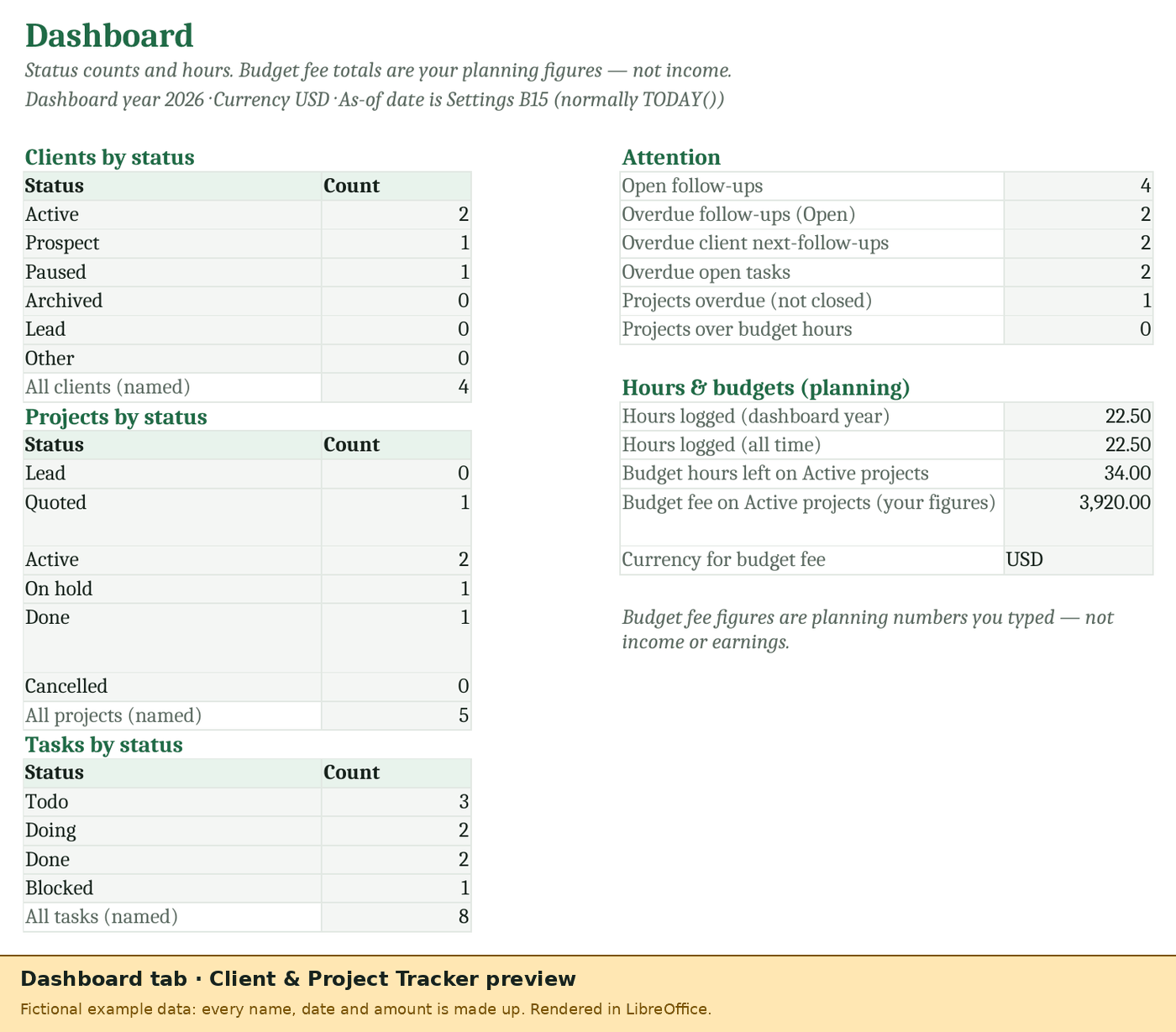
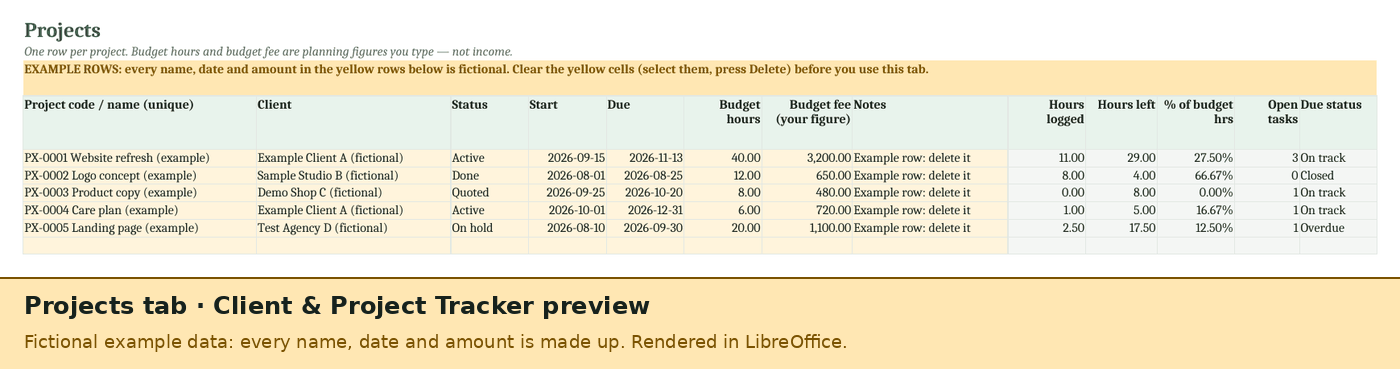
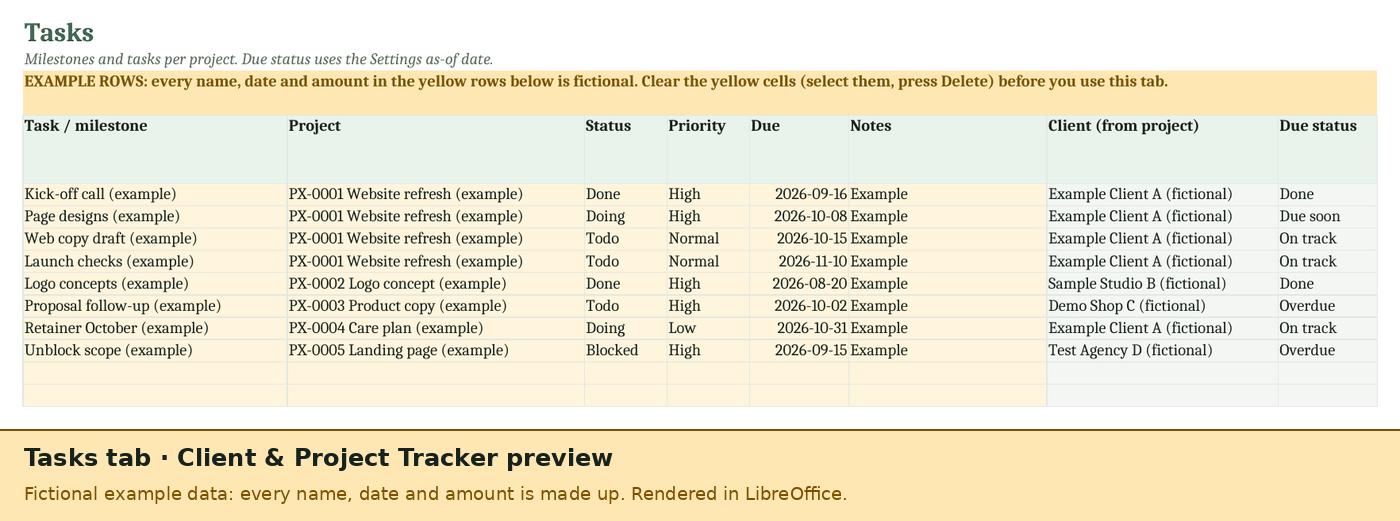
Pictures of the real workbook with its fictional example rows (as of 2026-10-06), printed to PDF by LibreOffice. Fonts will look a little different in Excel or Google Sheets.
What's in it
Clients
Up to 80 clients with contact, email, phone, status, tags and a next follow-up date. Open projects and follow-up status (Overdue, Due soon, Scheduled) fill in.
Projects
Up to 100 projects, each linked to a client, with status, start and due dates, budget hours and a budget fee you type. Hours logged, hours left, the share of budget hours used, open tasks and due status fill in.
Tasks and milestones
Up to 200, each on a project, with status (Todo, Doing, Blocked, Done), priority and due date. The client and due status fill in.
Hours log
Up to 400 rows: date, project, hours, a note and a billable yes/no flag. Hours add up on the project. No rates and no money here.
Follow-ups
Up to 100 next actions with a due date, tied to a client, a project or anything else, and marked Open or Done.
Dashboard
Clients, projects and tasks by status, open and overdue follow-ups, overdue tasks, projects over their budget hours, hours logged this year and all time, and the budget hours left on active projects.
9 tabs in all, including a Start here tab with a weekly routine, a Settings tab for your details, currency, follow-up and due-soon days, the dashboard year and your own status, priority and tag lists, and a Notes tab. Drop-downs and checks on the input cells, and formula cells protected without a password so they aren't overwritten by accident. No macros and no add-ons.
Works wherever you freelance
- Any currency. Pick USD, GBP, CAD or EUR, or type your own label. It only labels the budget fee you type.
- No tax and no invoices. Nothing in this workbook depends on a country's rules. Quotes and invoices live in our other kits or our free tools.
- Your own lists. Client and project statuses, task statuses, priorities and tags are lists on Settings that you can edit.
Free timesheet or tracker?
Our free timesheet stays free. If you only need to log hours and bill them, it's all you need.
| Feature | Free timesheet | Client & Project Tracker |
|---|---|---|
| Hours by client or project | ✓ | ✓ |
| Client list with follow-up dates | – | ✓ |
| Projects with budget hours and due dates | – | ✓ |
| Tasks and milestones | – | ✓ |
| Follow-ups and an overdue dashboard | – | ✓ |
| Amount to bill from hours × rate | ✓ | – (no money in this kit) |
| Where it runs | Your browser (nothing saved) | Excel, LibreOffice or Google Sheets |
| Price | Free, no email | US$12 one-time |
Honest limitations
- Tested in LibreOffice and Google Sheets; not yet opened in Microsoft Excel. Every formula has been recalculated in LibreOffice with no errors and compared with an independent calculation over random example files. In Google Sheets (uploaded and saved as Google Sheets) all 9 tabs load with no formula errors and the dashboard counts add up; we haven't checked print layout or sheet protection there yet. It uses only functions that Excel and Google Sheets both list (no macros, no XLOOKUP, LET or FILTER). When we open it in Microsoft Excel we'll fix anything that behaves differently. If it doesn't work for you, the refund applies.
- No money tracking. The budget fee is a planning figure you type, not income, and the hours log has no rates. For invoices and payments use a billing spreadsheet or our free tools.
- Names must match. Client names and project codes link the tabs together and must be unique (duplicates turn red). If you rename one, rename it everywhere, or linked rows stop matching.
- No reminders. Due and overdue statuses update when you open the file (they use today's date); nothing is emailed or pushed to your calendar.
- Sizes: 80 clients, 100 projects, 200 tasks, 400 hours rows and 100 follow-ups per file.
- No sync. It's a spreadsheet: nothing connects to Toggl, your email, your calendar or a project management app.
Price
US$12, once (not a subscription). Payment is handled by our merchant of record, Polar, which calculates any sales tax or VAT and shows it at checkout before you pay.
Client & Project Tracker
- The .xlsx file, yours to keep
- Use it for your own business, including client work
- One file for clients, projects, tasks and follow-ups
- Fixes to this version at no charge
Refunds: 14-day refund, no reason needed. See the refund policy.
Questions
Does it work in Google Sheets?
Upload the .xlsx to Google Drive and choose File → Save as Google Sheets. We've tested it there: all 9 tabs load, there are no formula errors and the dashboard counts add up. Print layout and sheet protection haven't been checked in Sheets yet.
Does it need macros or an add-on?
No. Everything is ordinary formulas, so there's nothing to install, no permission screen and no macro warning.
Does it make invoices or quotes?
No. It keeps track of clients, projects and what's open. For quotes and invoices there's our Quote & Proposal Kit and our Freelance Billing Kit, and free quote and invoice generators too.
Is the budget fee my income?
No. It's whatever figure you type for a project's budget, shown as a planning number. The workbook never adds up income, sales or earnings.
Who made it?
Small Rows, a small software studio in Alberta, Canada (how it works). Questions: support.
Other kits
Freelance Billing Kit by Small Rows
Time log, invoices, payments, tax set-aside and a dashboard in one spreadsheet. Formula-only .xlsx, tested in LibreOffice and Google Sheets; not yet opened in Microsoft Excel.
US$12 one-time.
Quote & Proposal Kit by Small Rows
Price lists, quotes, proposals with a signature block, and a log of every quote you've sent: open, accepted, declined or expired.
US$12 one-time.